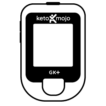
Using Your GK+ Meter (North America)
Setting up your GK+ Meter
We’ve made setting up the GK+ meter super simple! Learn how to do it via the app, or manually on the meter.
Understanding Your Meter Display
Refer to the guide below to understand the symbols on your meter display screen.
Using the Lancing Device
Preparing the Lancing Device Unscrew the lancing device cover from the body of the lancing device. Insert a sterile lancet into the lancing device and…
How to Test Glucose & Ketones Using the Keto-Mojo GK+ Meter
We’ll show you how to test your glucose and ketones with your GK+ meter from start to finish. From prepping your hands to get good blood flow, to using the lancing device, to properly applying your blood to the strips.
About GK+ Test Strips
The Keto-Mojo GK+ Multi-function Bluetooth Meter utilizes the most advanced technology in the industry for blood ketone and glucose testing strips, providing the highest degree of accuracy and precision.
Understanding the Ketone Warning Error Codes & Troubleshooting
If the ketone warning is set ON, and your blood glucose reading exceeds 300 mg/dL (16.6 mmol/L), the meter will display “KETONES” on your screen…
Error Codes for the GK+ Meter, what they mean and how to fix them
Click the image below to download a pdf
Using Control Solution
What is Control Solution? Control solutions are a way to test your meter so you know that it is giving you accurate results. Although we…
Access Your Control Solution Ranges
Did you mistakenly throw away or lose your meter kit box or your strip box? No problem, we’ve got you covered!
GK+ Meter Kit Manuals
English: Keto-Mojo GK+ Quick Start Guide Keto-Mojo GK+ Meter Manual Keto-Mojo Glucose Strips Info Sheet Keto-Mojo Ketone Strips Info Sheet Keto-Mojo Glucose Control Solution Info…